Overview
Capture what you need. Pin it on top.
Code faster with your reference always visible.”
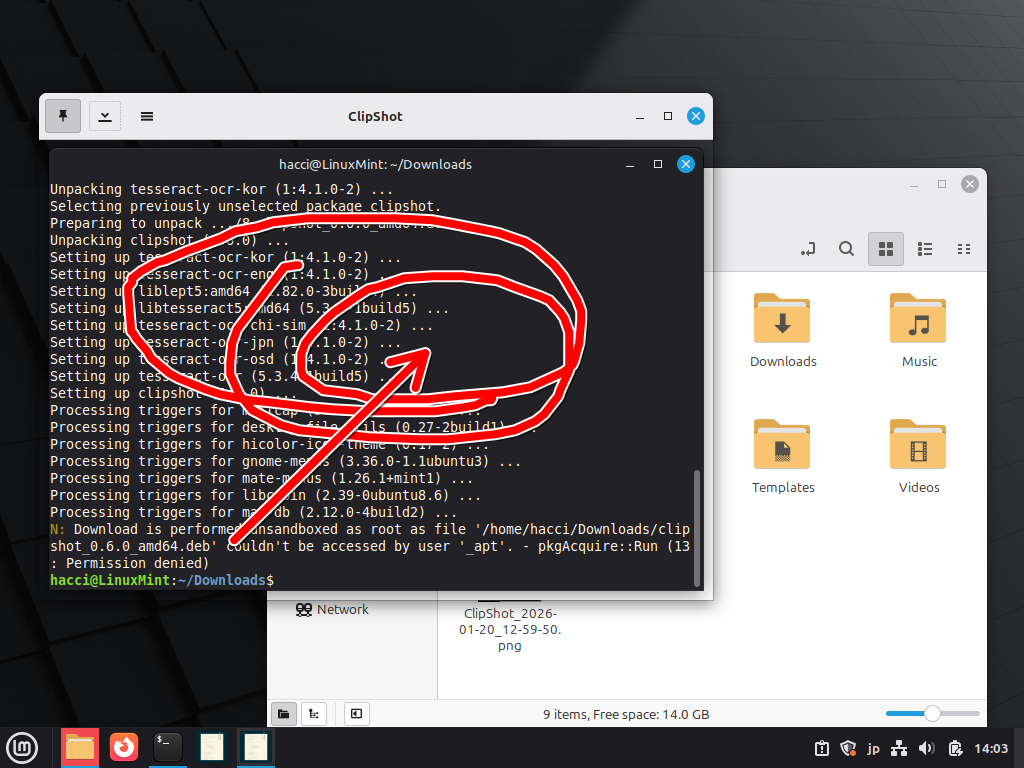
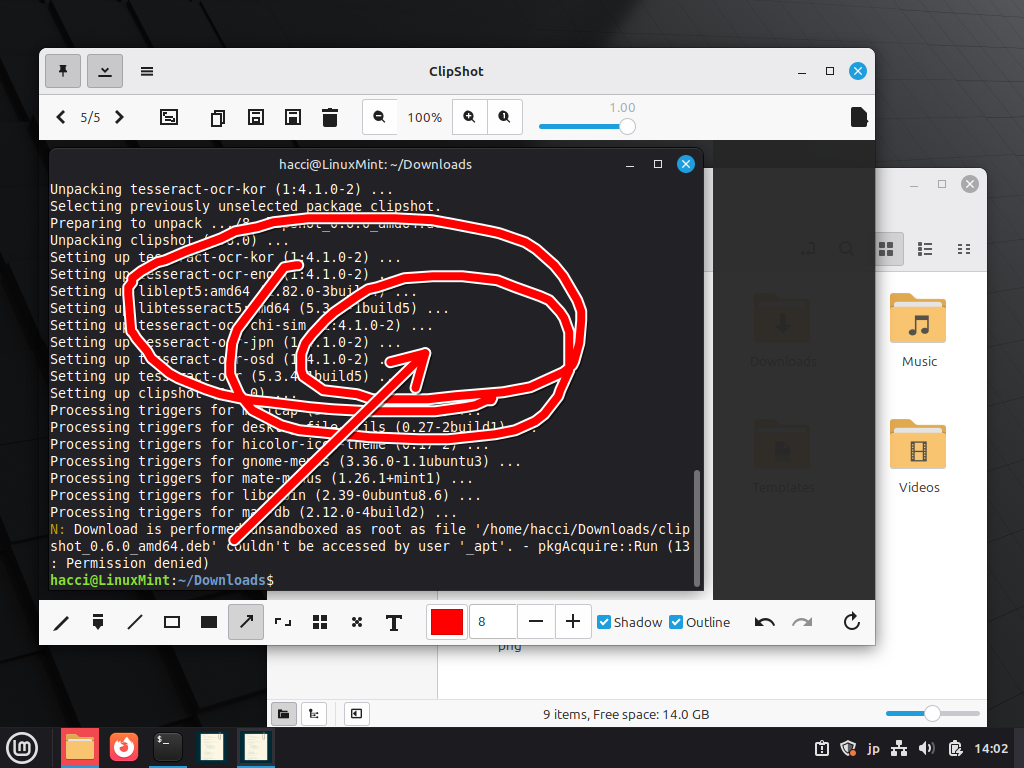
ClipShot is a screenshot capture and editing application designed for Linux environments. It allows you to capture your screen with intuitive controls and immediately edit or annotate the image. It also features OCR (text recognition) and a drag handle for instantly sharing images with other applications.
- Simple operation – Just launch and drag. An intuitive UI that anyone can use right away.
- Rich editing tools – Includes pen, arrow, text, mosaic, blur, and more.
- Smart sharing – A drag handle that lets you share files with other apps instantly.
- OCR feature – High-accuracy text recognition powered by Tesseract OCR. Supports multiple languages such as Japanese and English.
Features
Capture Features
- Area selection capture – Select any region by mouse drag
- Window capture – Capture an entire window with a click (configurable margins)
- Full desktop capture – Capture the entire screen by clicking or double-clicking the background
- Capture delay – Configurable delay to capture menus and pop-ups
- Capture skip – Press Enter during selection to skip capture and load the latest image
Drawing & Editing Tools
- Pen / Marker – Freehand drawing with configurable color, thickness, shadow, and outline
- Line / Arrow – Draw straight lines and arrows (arrowhead size adjusts with thickness)
- Rectangle / Filled rectangle – Draw outlined or filled rectangles
- Text – Insert text with selectable font and size, supports shadow and outline
- Mosaic / Blur – Apply effects to selected areas (adjustable intensity and block size)
- Crop / Rotate – Crop images and rotate in 90-degree increments
Other Features
- Drag-to-share handle – Drag the handle at the edge of the toolbar to send files to other apps
- OCR (Text Recognition) – Extract text using Tesseract OCR (shortcut: Ctrl+O)
- Hierarchical menus – Organized menus for quick access to tools and settings
- Toolbar visibility toggle – Hide the toolbar to maximize workspace (F11)
- Image navigation – Browse images in the save folder using arrow keys
- Always on top – Keep the window above other windows
- Auto-save / confirmation options – Auto-save on close and confirmation dialogs for unsaved changes
Keyboard Shortcuts
Ctrl + C– Copy to clipboardCtrl + S– Save /Ctrl + Shift + S– Save AsDelete– Delete file / discard captureP/M/T/L/R/A/C/O/B– Select tools[/]– Adjust line thicknessPageUp/PageDown– Adjust opacityCtrl + +/-/0– Zoom in / out / reset (numeric keypad supported)Ctrl + O– Run OCRF11– Toggle toolbar visibilityEsc– Cancel capture / close window
Supported Languages
ClipShot supports the following 10 languages:
Japanese / English / Simplified Chinese / Korean / Spanish / French / German / Portuguese / Italian / Russian
System Requirements
Supported OS
- Ubuntu 20.04 LTS or later
- Debian 11 or later
- Fedora 38 or later / openSUSE
- Other GTK3-compatible Linux distributions
Download
Latest Version: 0.6.0
AppImage (Recommended)
Download ClipShot-0.6.0-x86_64.AppImage
Deb Package
Download clipshot_0.6.0_amd64.deb
RPM Package
Download clipshot-0.6.0-1.x86_64.rpm
How to Use
Share with Other Apps by Drag & Drop
Grab the handle (square dotted icon) at the right end of the toolbar and drag it directly into Slack, Discord, email clients, file managers, and more. If the file is not yet saved, it will be saved automatically before sharing.
Changelog
Version 0.6.0 (2026-01-19)
- Improved stability through major codebase refactoring
- Added a “drag handle” feature for sharing with other apps (Skitch-style)
- Toolbar show/hide toggle (F11)
- Hierarchical menus and unified hamburger / right-click menus
- Enhanced text tool (font selection, shadow, outline, Enter-to-confirm)
- Expanded keyboard shortcuts (single-key tools, numeric keypad support, OCR Ctrl+O, etc.)
- Added Delete button and Save As button
- Improved automatic window size and position adjustment logic
- Added Enter-key image history loading on capture screen
Version 0.5.2
- Icon fixes and improved resource loading
- Improved build compatibility on Fedora and other environments
Contact
- Website: https://hacci.site/
ClipShot – Screenshot capture and editing tool for Linux
© 2026 HACCI. All rights reserved.